Pick and Pack
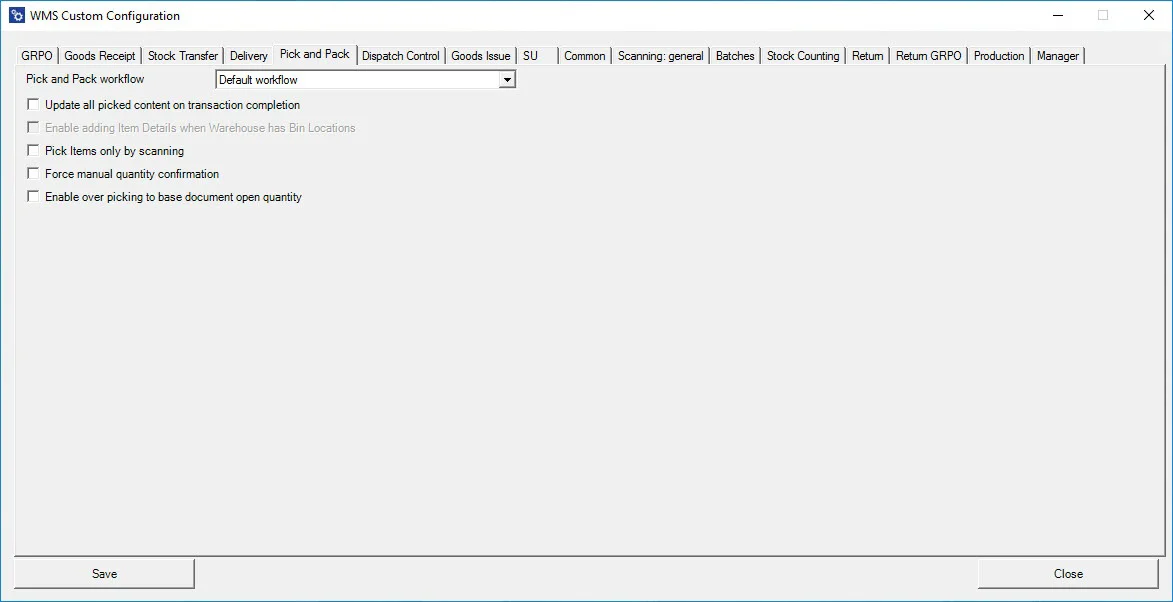
Pick and Pack Workflow - you can choose the order of data entering. Available options: Default Workflow, Customer-Date Workflow, Date-Customer Workflow.
Update all picked content on transaction completion – all chosen during transaction information is saved on saving a transaction (the data selected from during the transaction is not held until clicking the save button at the end of the transaction).
Enable adding Item Details when Warehouse has Bin Locations – allows adding Item details when in a Warehouse receipt, Bin locations are defined.
Pick Items only with scanning – allows picking an Item only by scanning a barcode (cannot choose an Item manually)
Force Manual quantity confirmation – with this option checked, it is required to manually confirm previously set up quantity (scanning a barcode does not confirm it automatically)
Enable over-picking to base open document quantity – checking the option allows you to set quantity higher than on the related base document (leaving this checkbox unchecked blocks it).